![360_mobile_integrated_logo.svg]](https://support.ooona.net/hubfs/360_mobile_integrated_logo.svg)
Oftentimes admins need to change only certain parts of this configuration, leaving the rest of it intact.
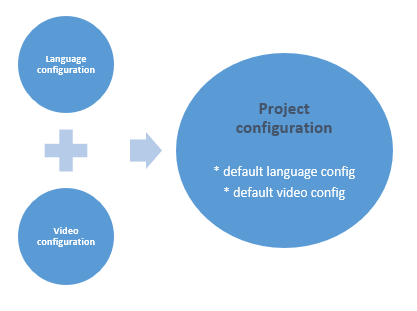
- Project configuration – The base settings for a Toolkit project.
Includes validation and tool behavior settings, as well as default settings for language and video (which can be overwritten by Target Language Configuration and Video Configuration) - Target Language configuration – Overrides language related fields (like language value, font, dictionary, etc..) in the Project Configuration.
- Video configuration – Overrides video related fields (like video format, FPS, aspect ratio, etc..) in the project settings.
- Target Import configuration – a File import form. Only relevant for the first task in the flow and only if there's a subtitle file that was uploaded to the order to import to that task. Requires "Translation file" setting in Global Toolkit Settings in TM
- Export configuration – a File export form. If exists, it will be used when finishing a project to send the desired file format (with all its settings) to TM and attach it to the Order files.
- Source import configuration – a File import form for the source column (for Translate or Review apps).
- Source language configuration – an explicit language configuration for the source column (for Translate app)
- Start TC – Start timecode of the video (if not set, the project will start at default 00:00:00:00).
- Permissions – sets user permissions in open TK project
Edit configuration – allows user to edit project settings while working on the project
Allow media open – allows user to open a different video while working on the project
Allow upload - allows user to upload and import a subtitle file
Allow download - allows user to export and download a subtitle file