
How to enable audio scrubbing When stepping frame by frame play a short portion of the audio
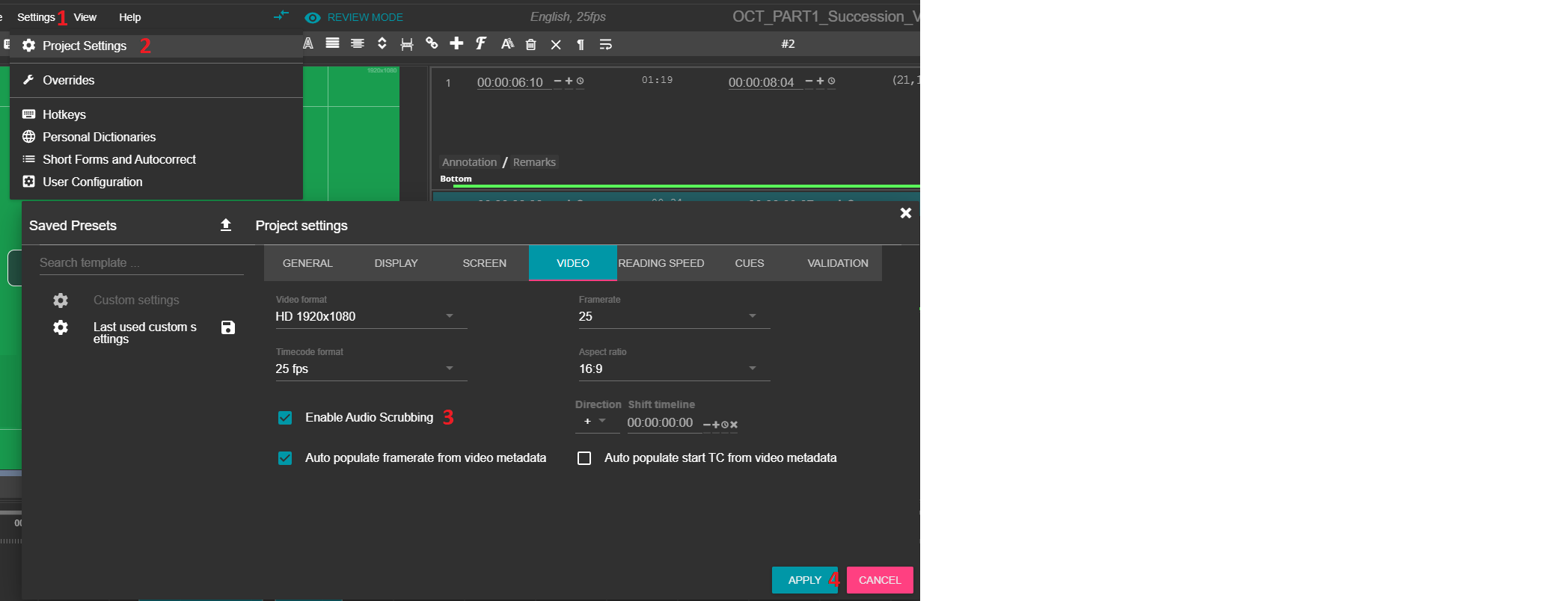
To enable audio scrubbing in your project, click on the "Settings" toolbar, select "Project Settings", go to the "VIDEO" tab and check the "Enable Audio Scrubbing" checkbox. To apply, click on "APPLY":
 Did this answer your question?
To enable audio scrubbing in your project, click on the "Settings" toolbar, select "Project Settings", go to the "VIDEO" tab and check the "Enable Audio Scrubbing" checkbox. To apply, click on "APPLY":
Did this answer your question?