
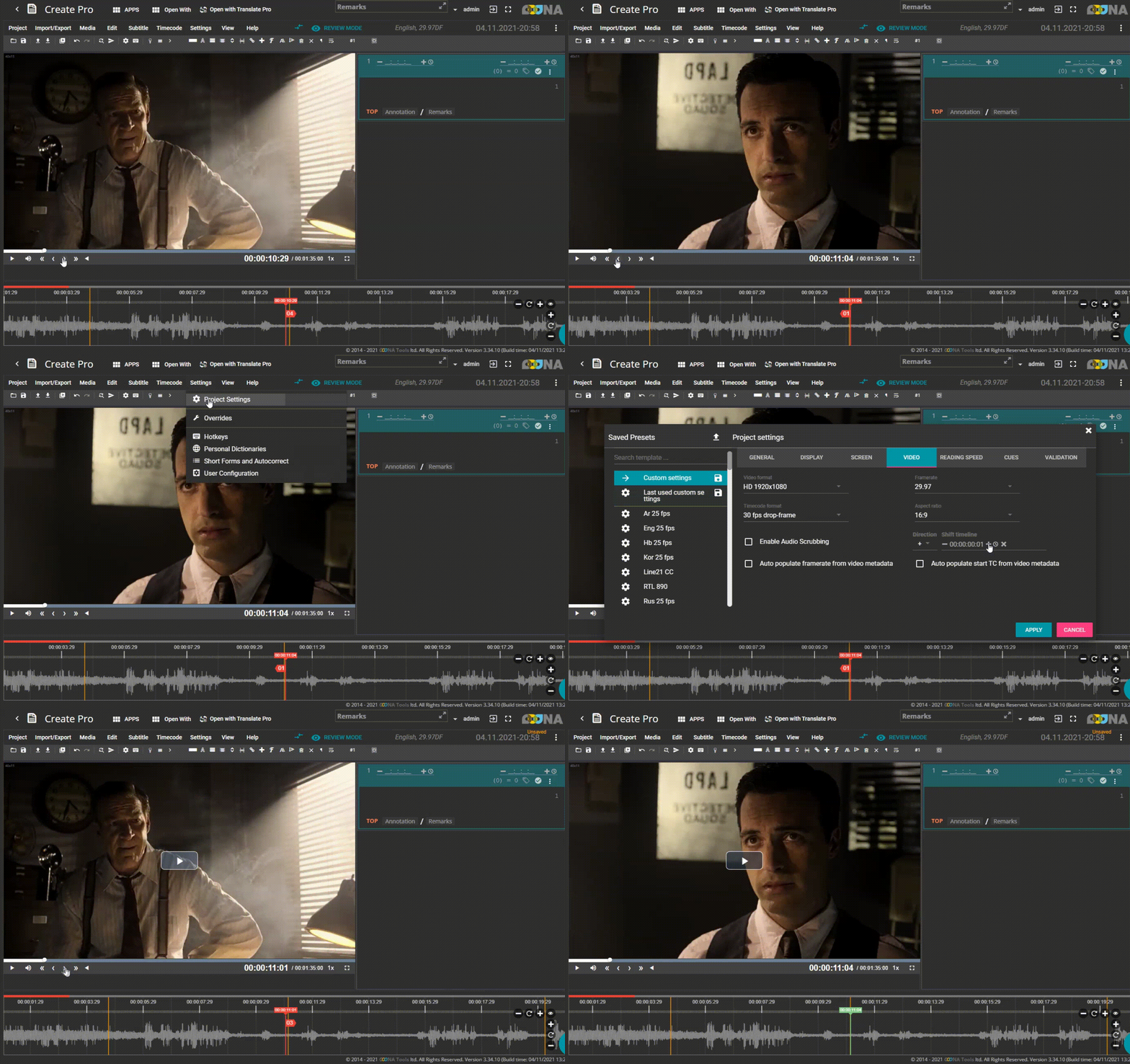
Calibrate timeline to match video shot changes Shot change discrepancy, one frame difference in waveform and scene change markers
 Did this answer your question?
Some video files encoded with ffmpeg, when analyzed, can show a discrepancy
of 1 frame between the shot change marker and the actual shot change in the video.
To compensate for this discrepancy, use Shift Timeline option.
Settings – Project settings – Video – add 1 frame to Shift timeline
or subtract 1 frame if the discrepancy is in the other direction
Did this answer your question?